Hide titles and counts on Shorts
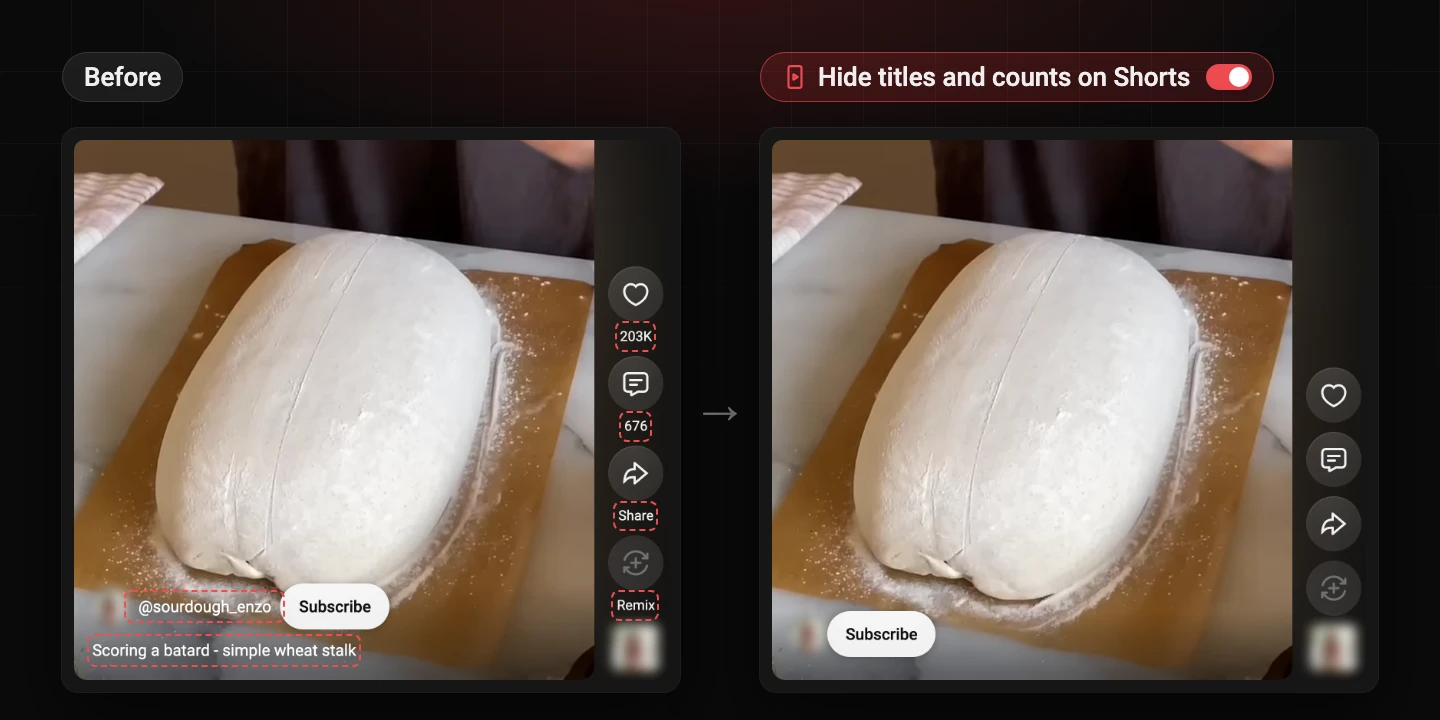
Five new Shorts levers hide the text over and beside a Short: the title, the channel name, the like and comment counts, and the labels under Share and Remix. The buttons stay and keep working. The help guide lists each Shorts lever and what it hides.
Title and channel name
Hide title removes the title and description line over a Short, and the space it took closes up. Hide channel name removes the channel’s name and leaves its picture and Subscribe. Hide channel avatars removes the picture, on Shorts and across YouTube.
Counts and labels
- Hide like count and Hide comment count remove the number under the like and comments buttons. Liking and opening the comments still work.
- Hide Share and Remix labels removes the words under Share and Remix.
In Levers, each count sits right under its button. Turning on Hide Like or Hide Comments shows its count as hidden too, since the count goes with the button.
Every lever stays on for each Short you swipe to and works in any language YouTube offers. Hide all Shorts covers all five.