59 new levers across YouTube
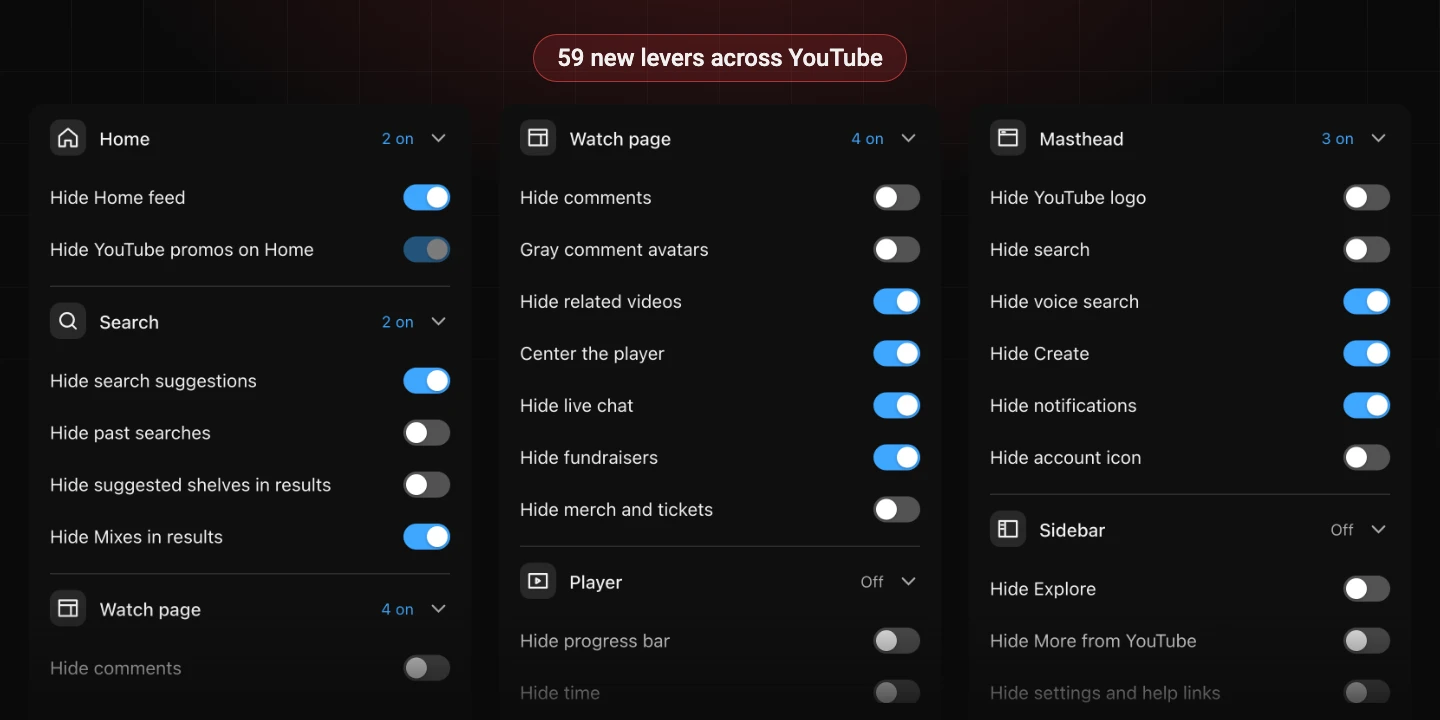
Retube’s Levers grow from 12 to 71. The new ones reach Home, search, the watch page with its buttons and description, channels, Shorts, the masthead, and the sidebar. Each section of Levers covers one part of YouTube, and the help guide lists every lever and what it hides.
Home and search
- Hide Home feed removes every recommended video from Home, along with the placeholder cards shown while it loads. Hide YouTube promos on Home removes only Premium offers, New to you nudges, and surveys.
- Hide search suggestions and Hide past searches clear the search box dropdown. With both on, it never opens.
- Hide suggested shelves in results removes For you, People also watched, and similar shelves from search results, and Hide Mixes in results removes Mix playlists.
The watch page
- Hide live chat removes chat and chat replay. In theater mode, the player takes the width chat leaves.
- Center the player moves the video into the middle of the page when Hide related videos is on and nothing else sits beside it.
- Hide fundraisers removes the Fundraiser badge and the donation panel, and Hide merch and tickets removes the creator’s product and ticket shelves.
- Gray comment avatars shows profile pictures in comments in black and white.
- Hide cards button removes the player’s i button, and Hide paid promotion label removes the Includes paid promotion notice.
Video buttons and the description
- Hide Join, Share, Download, Clip, Thanks, the three-dot More actions menu, the like count, or the like button’s animation. Buttons are recognized in every language YouTube offers, and a button that a narrow window moves into the three-dot menu hides there too.
- In the description, hide hashtags, the health source note, the Show transcript section, the channel card, the channel links, and info rows such as Suggested by.
Across YouTube
- Hide AI features removes the Ask button, the Ask section, and AI summaries of videos, in search results too.
- Hide sign-in prompts removes Sign in prompts while you’re signed out.
- Gray channel avatars turns channel pictures black and white everywhere, your subscriptions in the sidebar included. Hide channel avatars removes them from videos and Shorts, while channel pages keep theirs. Hide verified badges removes the check mark after channel names.
- Stop channel trailers keeps a channel’s featured video waiting until you play it.
- Stop the Shorts swipe keeps you on the Short you opened: scrolling, swiping, and the arrow keys no longer move to the next one.
Masthead and sidebar
- In the masthead, hide the YouTube logo, the search box, voice search, Create, notifications, or your account picture.
- In the sidebar, hide Explore, More from YouTube, the settings and help links, the footer, or the icons beside each entry. Hide the whole Subscriptions section, or only its avatars, new-video dots, live icons, and Browse channels. In the You section, hide the You link and any links you don’t use, or open all your playlists on every visit.
A regrouped Levers tab
Levers follows the order you meet YouTube in: General, Home, Search, the watch page’s sections, Shorts, then Thumbnails, Channels, Masthead, and the sidebar. The chapter levers are part of Player. A lever that covers others, such as Hide search or Hide Subscriptions, shows them as on and locked.
The player’s Retube Levers list holds only the player’s levers, and the rest are in the side panel. The Retube mark now leads the buttons beside the player.