Retube in a side panel
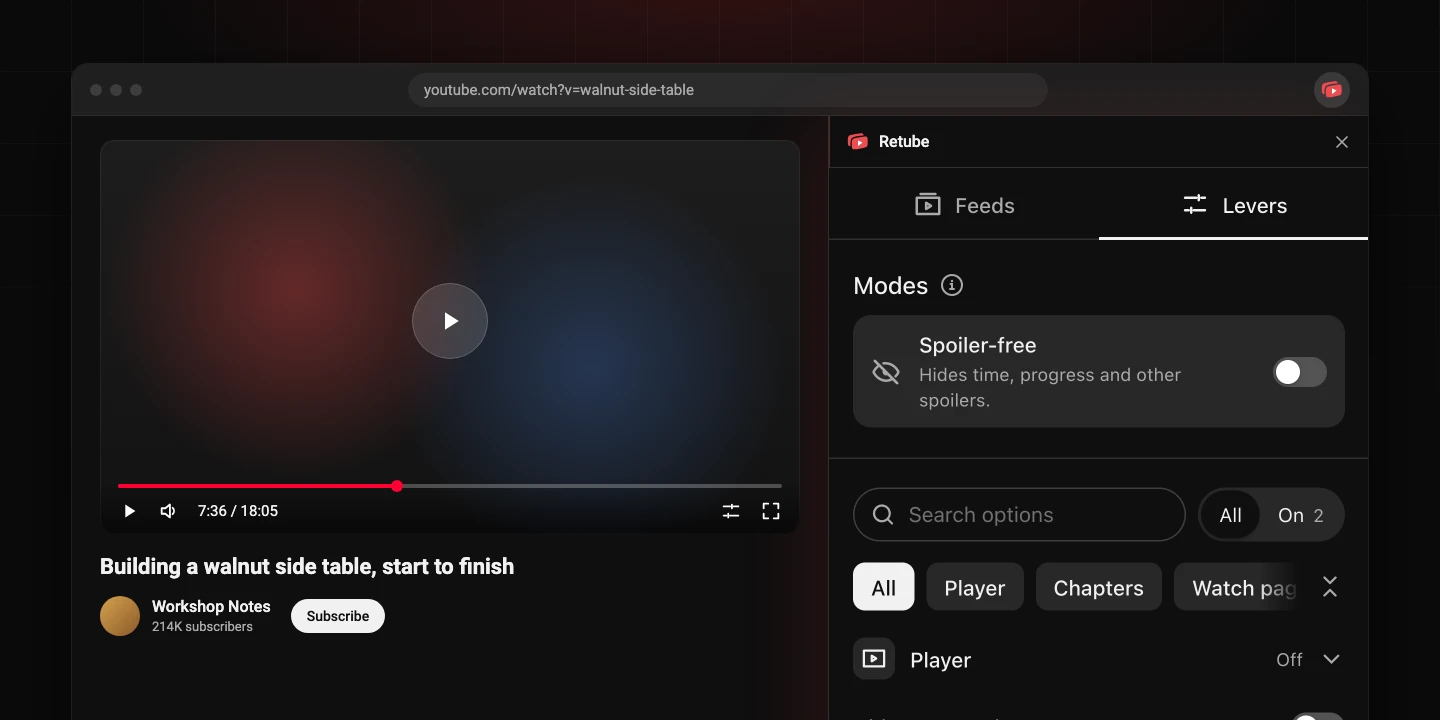
Retube’s toolbar button now opens a side panel instead of a popup. The panel stays open beside YouTube while you browse, with your feeds and your levers in two tabs. In Firefox it opens in the sidebar.
Feeds and Levers
Feeds lists your feeds and opens them on YouTube. Levers holds the watch options from 1.6.0, so you can switch one and watch the video change beside the panel. Levers opens first, and after that the panel reopens on the tab you used last. Changes made in another tab or window show in the panel as they happen.
Finding a lever
- Modes sit at the top, apart from the levers below. The info button beside the title explains what a mode does.
- Search options finds a lever by name or by other words for it, and On shows only the levers that are on.
- Chips for Player, Chapters, Watch page, and Thumbnails show one section at a time.
- Sections fold away one at a time or all at once, and stay folded the next time you open the panel.
- Point at a lever, or tab to it, to see a one-line description of what it hides.
Levers are switches now, and Spoiler-free mode appears as Spoiler-free under Modes. The help guide covers the side panel and each lever.